

Managing customer support through emails, spreadsheets, and manual follow-ups can quickly become difficult. Tickets may be missed, response times can increase, and managers may struggle to track team performance.
The Helpdesk module in Odoo 19 provides a central platform to manage support tickets, assign requests, track SLAs, collect customer feedback, and connect support activities with other Odoo applications.
This guide gives a quick overview of the main features available in Odoo 19 Helpdesk.
Helpdesk Overview
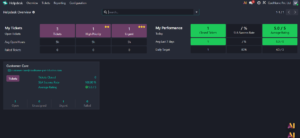
When you open the Helpdesk module, the Overview dashboard gives agents and managers a quick view of current ticket activity.
The My Tickets section shows the logged-in agent’s open workload, including ticket priorities and pending requests.
The My Performance section provides key metrics such as closed tickets, SLA performance, and customer ratings.
Below this, each Helpdesk team is displayed with key information such as open, urgent, unassigned, and closed tickets.
Managing Tickets
From the Tickets menu, users can access:
- My Tickets – tickets assigned to the logged-in agent.
- All Tickets – all tickets available based on the user’s access rights.
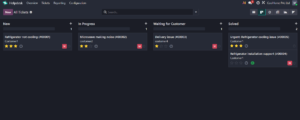
Tickets can move through different stages such as:
New → In Progress → Waiting for Customer → Solved
Stages can be customised based on the organisation’s support process.
Reporting
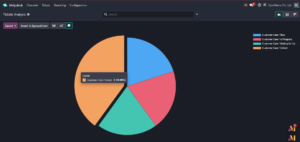
Odoo 19 Helpdesk includes reporting tools to monitor support performance.
Tickets Analysis
Helps analyse ticket volume, trends, agents, teams, and priorities.
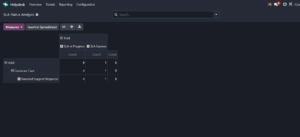
SLA Status Analysis
Shows whether tickets are meeting the service targets defined by the organisation.
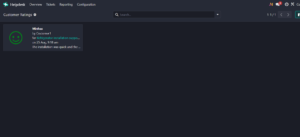
Customer Ratings
Displays customer satisfaction feedback collected after ticket resolution.
Setting Up a Helpdesk Team
Go to:
Helpdesk → Configuration → Helpdesk Teams
Each team can be configured based on its purpose, such as Customer Care, IT Support, or VIP Support.
Important settings include:
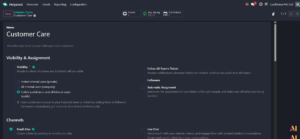
Visibility & Assignment
Administrators can control who can access the team and configure automatic ticket assignment.
Tickets can be distributed based on workload or routed using tags.
Support Channels
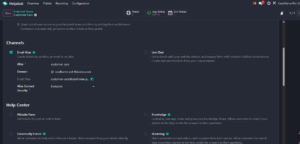
Odoo allows customers to create tickets through different channels, including:
- Email Alias
- Live Chat
- Website Form
This helps businesses manage requests from different sources in one place.
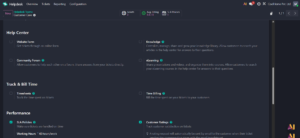
Help Center and Self-Service
The Helpdesk module can integrate with Knowledge, Community Forum, and eLearning.
These tools allow customers to find answers without always contacting a support agent, helping reduce repetitive requests.
SLA Policies
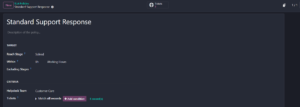
SLA policies define how quickly specific support requests should be handled.
For example, an urgent ticket may need to reach a particular stage within two hours.
Go to:
Helpdesk → Configuration → SLA Policies
Policies can be configured based on teams, priorities, tags, customers, and other conditions.
Customer Ratings and Ticket Closing
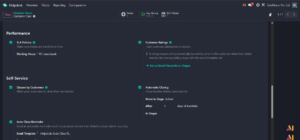
Odoo can automatically request customer feedback when a ticket is resolved.
The Helpdesk module also supports:
- Customer-controlled ticket closure
- Automatic closing of inactive tickets
These options help keep the support queue organised and improve reporting accuracy.
After-Sales Services
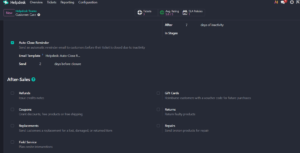
Odoo Helpdesk can also connect support requests with other business processes.
Depending on the installed applications, agents can perform actions such as:
- Create refunds
- Generate coupons
- Process returns
- Create repair orders
- Create Field Service tasks
Conclusion
The Odoo 19 Helpdesk module provides more than basic ticket tracking. It combines ticket management, automatic assignment, SLA monitoring, reporting, customer feedback, self-service, and after-sales activities in one application.
For businesses already using Odoo, Helpdesk can provide a more organised support workflow while giving agents better visibility and managers clearer performance insights.
Best practice: Start with a simple ticket workflow, clear assignment rules, and realistic SLA targets. Additional automation and self-service features can then be introduced as the support process grows.