

Introduction
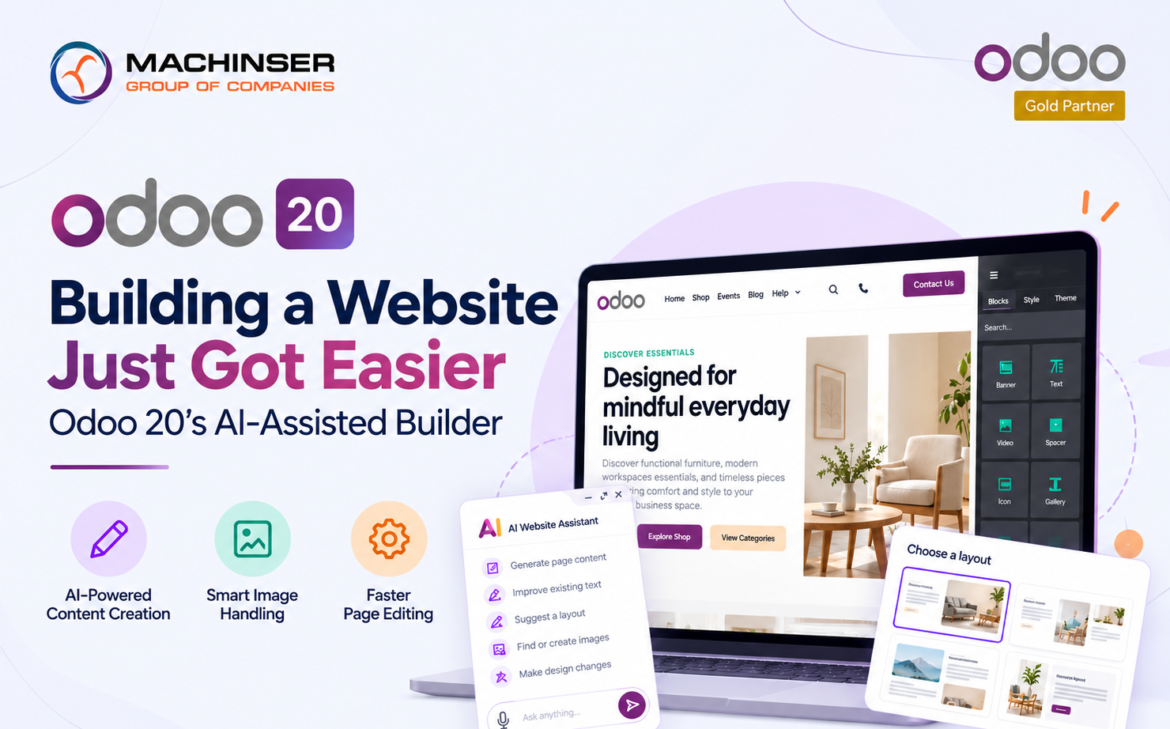
One of the more immediately usable additions in Odoo 20 is an AI-assisted Website Builder a step beyond the drag-and-drop editor Odoo users already know, now capable of helping draft page content, handle images, and speed up page editing. For businesses that treat their website as a live sales channel rather than a static brochure, this shortens the distance between deciding to launch a new page and having it live.
What is Odoo 20 AI Website Builder?
Odoo 20’s AI assisted website workflow helps users create and refine website content from natural-language instructions. Odoo’s official documentation describes AI-assisted page creation, while its Website feature documentation highlights AI-generated website content and AI-assisted editing. The key point is that AI is used inside the website-building workflow rather than as a separate writing tool.
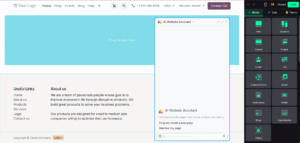
Odoo 20 AI Website Builder Assistant
Who actually manages the website
What makes this relevant beyond the convenience factor is who typically owns website updates inside a GCC SME: often a marketing coordinator or even an operations person, not a dedicated web developer. Odoo’s website module has always tried to make building pages accessible to non-technical staff; AI assistance pushes that further by removing the blank-page problem a first draft of copy, a suggested layout, or an image adjustment that used to require either design skill or a support ticket to an agency. A one person marketing team can use that first draft as a starting point and spend more time refining it.
The practical point is not that AI removes the need for a marketing or web team. It changes where their time is spent. People still choose the message, check facts, adjust the brand voice, and decide what should actually be published.

Odoo 20 AI assisted website creation helps turn an initial idea into a structured eCommerce page.
One system instead of two
There’s a real business case for bundling this with ERP rather than running a separate website platform. A website built on the same Odoo instance as inventory, CRM, and accounting can use shared business data instead of relying on manually synchronized spreadsheets. Product information, website content, and lead capture can therefore be managed within the same broader business system.
Odoo’s Website and eCommerce tools are designed to work with business data already stored in Odoo. This makes the website more than a brochure: it can be part of the same operational environment used by sales, inventory, CRM, and other teams.
For example, a product shown on the website can use the product information maintained in Odoo rather than requiring a separate product database. Exact availability behavior depends on the website and inventory configuration, so teams should verify the configuration before promising a particular stock-display workflow.
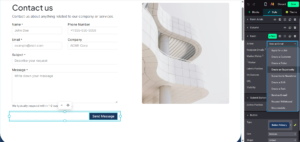
Image showing the available actions that can be triggered when clicking Send Message. Selecting “Create an Opportunity” automatically creates a lead in the CRM module.
Likewise, website enquiries can feed into the CRM workflow, reducing the need to copy lead information manually from an inbox into a separate system.
Where the AI needs a human check
The caveat worth stating plainly: AI-generated content still needs a human review pass, particularly for anything touching pricing, compliance claims, product specifications, or region-specific language. Odoo’s own AI documentation recommends reviewing generated content and adjusting it to match the company’s tone and communication standards.
This matters especially for GCC businesses publishing bilingual content. Arabic and English copy can carry different tone expectations, and a literal AI translation may not read naturally in both languages without editing. Content assistance speeds up drafting; it doesn’t replace the judgment of someone who knows the market, the product, and what a GCC customer expects to see on a professional B2B or eCommerce page.
Where this fits in a bigger project
For companies planning a rebrand, a new product launch, or simply a long-overdue website refresh, this is a good moment to consider the website as part of the wider Odoo upgrade conversation rather than treating it as an isolated project. Keeping the website and the rest of the ERP aligned reduces the risk of maintaining separate versions of product, customer, and lead information.
Odoo’s current Website documentation covers AI-assisted website creation and customization, while the official Odoo 20 announcement positions AI as a way to automate processes and create websites through prompts. These capabilities make it worth evaluating the website workflow alongside the rest of an Odoo 20 implementation.
A practical starting point
Businesses new to this feature generally get the most value by starting with a single high-traffic page, a product category, a services overview, or a landing page tied to an active campaign rather than rebuilding the entire site at once. Using the AI builder on one page lets the team learn its editing rhythm, calibrate how much review the drafted copy actually needs, and build internal confidence before rolling the same workflow out across the rest of the site.
Frequently Asked Questions
What is the Odoo 20 AI Website Builder?
The Odoo 20 AI Website Builder is an AI-assisted website creation and editing tool that allows users to generate, draft, and refine web page content using AI prompts—all while utilizing Odoo’s native visual editor for design customization and publishing.
Can the Odoo 20 AI Website Builder generate page content automatically?
Yes. The Odoo 20 AI Website Builder can generate full web page copy, create new section drafts, and rewrite or improve existing text based on simple user prompts.
How does the Odoo 20 AI Website Builder handle images?
The Odoo 20 AI Website Builder works alongside Odoo’s built-in media management tools. Depending on your configuration, AI assistance can help organize, source, or suggest relevant images for your website layouts.
Does using the Odoo 20 AI Website Builder replace professional web developers?
No. While the Odoo 20 AI Website Builder accelerates content drafting and page layout design, human editorial review remains essential for brand tone, SEO optimization, pricing accuracy, and regional compliance.
Can the Odoo 20 AI Website Builder connect with Odoo CRM and business data?
Yes. Websites created with the Odoo 20 AI Website Builder operate on the unified Odoo platform, allowing web pages and eCommerce portals to sync directly with Odoo CRM, Sales, and Inventory apps.
What is the best way to start using the Odoo 20 AI Website Builder?
Begin by using the Odoo 20 AI Website Builder on a single high-priority page (such as a promotional landing page or service section). Review and refine the AI-generated copy, add internal links, and expand the workflow across your entire site once your team is comfortable.
Conclusion
Odoo 20 AI website builder assistant capabilities are most useful when treated as a productivity layer rather than a replacement for website expertise. AI can reduce the time needed to produce a first draft, improve existing copy, and accelerate routine editing, while Odoo keeps website work connected to the wider business platform. The strongest implementation is therefore not the one that publishes AI-generated content fastest; it is the one that combines faster creation with clean business data, careful review, and a clear publishing process.
1 Comment