
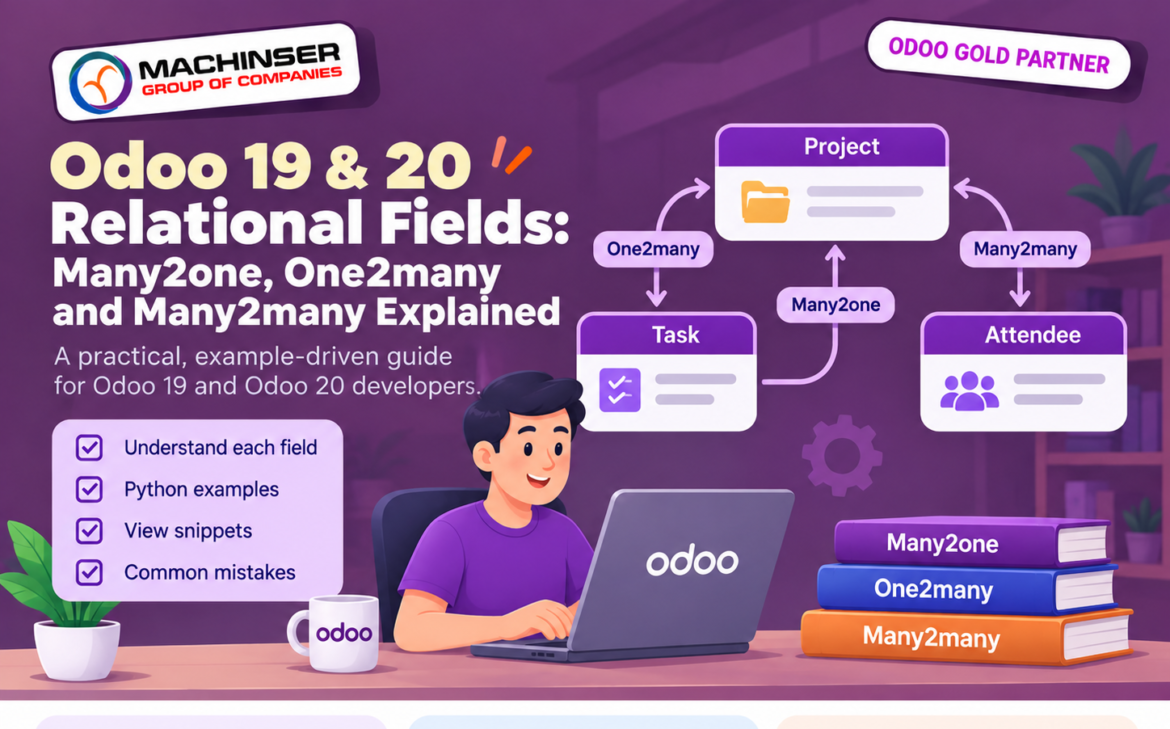
When you build an Odoo module, its models often need to connect to other models. A sales order belongs to a customer, a project can contain several tasks, and a course can have multiple attendees.three main Odoo relational fields are Many2one, One2many and Many2many let you represent these connections.
Odoo Relational Fields Quick Comparison
| Field type | Relationship | Example | Key point |
| Many2one | Many records can point to one record | Many tasks belong to one project | Defined on the model that stores the link; points to one record or no record. |
| One2many | One record can show multiple linked records | One project shows its tasks | Inverse of a Many2one; requires the matching field on the other model. |
| Many2many | Records on both sides can link to multiple records | A course has many attendees; an attendee can join many courses | Odoo manages a relation table for the links. |
A quick way to remember the difference: Many2one points to one related record, One2many finds records that point back to the current record, and Many2many connects multiple records on both sides.
By convention, Many2one field names end in _id, while One2many and Many2many field names end in _ids-for example, project_id and task_ids. These names are conventions rather than strict requirements, but following them makes code easier to understand.
Many2one : Link One Record to Another
Use a Many2one field when a record needs to refer to one record in another model. Common examples include a customer, company, responsible user, category or project.
Example: A task belongs to one project
from odoo import models, fields

class ProjectTaskExample(models.Model):
_name = 'project.task.example'
_description = 'Example Project Task'

name = fields.Char(required=True)
project_id = fields.Many2one(
'project.example',
string='Project',
ondelete='set null'
)
Here, project_id refers to one project record. Many tasks can point to the same project, but each task can reference no more than one project through this field. The comodel name is the technical name of the model being linked.
Because this example uses the custom model project.example, it does not depend on Odoo’s Project app. If you instead link to an existing model such as project.project, add the module that provides that model to your manifest’s depends list.
Useful Many2one options
- string: The label shown to users in the interface.
- required=True: Makes the relationship mandatory.
- ondelete: Controls what happens when the linked record is deleted. Odoo supports set null, restrict and cascade. The default is generally set null for an optional field and restrict for a required field. A required field should not use set null; choose the deletion behaviour that matches your business rules.
- domain: Filters the records offered for selection in the client interface. For example, domain=[(‘is_company’, ‘=’, True)] can limit choices to companies. A domain is not a substitute for access rights or server-side business validation.
One2many : Show All Related Records
A One2many field shows records in another model whose Many2one field points to the current record. It therefore needs an inverse Many2one field on the related model.
Example: A project contains many tasks
from odoo import models, fields

class ProjectExample(models.Model):
_name = 'project.example'
_description = 'Example Project'

name = fields.Char(required=True)
task_ids = fields.One2many(
'project.task.example',
'project_id',
string='Tasks'
)
The second argument, project_id, names the Many2one field on project.task.example. Odoo uses that inverse field to find the tasks linked to a project.
Together, these fields define the relationship: each task can point to one project, and each project can show its related tasks. A One2many field is not a separate list of IDs stored on the parent; Odoo derives it from the inverse Many2one relationship.
When should you use One2many?
Use One2many when users need to view or manage related child records from a parent form, for example, order lines on an order or tasks on a project. The exact relationship and deletion behaviour depend on the models and rules you define.
Many2many : Connect Multiple Records on Both Sides
A Many2many field is useful when records on both sides can be linked to several records. Examples include students and courses, employees and skills, or products and tags.
Example: Courses and attendees
from odoo import models, fields

class TrainingCourseExample(models.Model):
_name = 'training.course.example'
_description = 'Example Training Course'

name = fields.Char(required=True)
attendee_ids = fields.Many2many(
'res.partner',
string='Attendees'
)
A course can have several attendees, and the same contact can attend multiple courses. Odoo stores these links in a relation table. For a straightforward relationship, Odoo can generate the table and its column names automatically.
When do you define relation, column1 and column2?
In most cases, you can leave relation, column1 and column2 unset. Odoo generates their names when the two model names differ. However, two Many2many fields on the same model that point to the same comodel cannot normally reuse the same implicit relation table. Give each field its own relation table and column names when you need two distinct relationships, as in the example below.
class TrainingCourseExample(models.Model):
_name = 'training.course.example'

attendee_ids = fields.Many2many(
'res.partner',
relation='training_course_attendee_rel',
column1='course_id',
column2='partner_id',
string='Attendees',
)
instructor_ids = fields.Many2many(
'res.partner',
relation='training_course_instructor_rel',
column1='course_id',
column2='partner_id',
string='Instructors',
)
Here, relation names the database table, column1 identifies records from the current model, and column2 identifies records from the related model.
Complete Example: A Simple Training Module
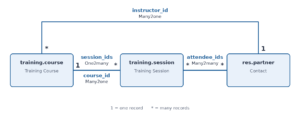
This example combines all three field types in a small training setup: each course has one instructor, each course can have several sessions, and each session can have multiple attendees.
from odoo import models, fields

class TrainingCourse(models.Model):
_name = 'training.course'
_description = 'Training Course'

name = fields.Char(required=True)
instructor_id = fields.Many2one(
'res.partner',
string='Instructor'
)
session_ids = fields.One2many(
'training.session',
'course_id',
string='Sessions'
)

class TrainingSession(models.Model):
_name = 'training.session'
_description = 'Training Session'

name = fields.Char(required=True)
course_id = fields.Many2one(
'training.course',
string='Course',
required=True,
ondelete='cascade'
)
attendee_ids = fields.Many2many(
'res.partner',
string='Attendees'
)
How the fields work in this example:
- instructor_id is Many2one: one course references one instructor contact.
- session_ids is One2many: one course shows all sessions whose course_id points to it.
- attendee_ids is Many2many: a session can include several contacts, and a contact can attend multiple sessions.
These classes illustrate the relationships only. A working custom module also needs a manifest, access rights, views and any business rules required by the use case.
Displaying Relational Fields in Views
Defining fields in Python creates the model relationships, but users also need views to work with them. Many2one fields are usually shown as selectable records. One2many fields can appear as embedded lists in a parent form, while Many2many fields can be displayed as tags, checkboxes or lists depending on the chosen widget and view.
Example: Show sessions on a course form
<field name="name"/>
<field name="instructor_id"/>
<field name="session_ids">
<list editable="bottom">
<field name="name"/>
</list>
</field>
This is a fragment of a form view, not a complete XML view file. Place it inside a valid form and field/view definition for your module.
Example: Show attendees as tags
<field name=”attendee_ids” widget=”many2many_tags”/>
The many2many_tags widget is handy when users need to select and review several related records in a compact space. Choose the widget and view layout based on how users will add, search and review those records.
Common Mistakes and How to Avoid Them
Defining One2many without an inverse Many2one
A One2many field must name the matching Many2one field on the related model. Check both the comodel name and the inverse field name.
Using the wrong comodel name
The first argument is the technical model name, not the field label or Python class name.
Confusing Many2one and One2many
Think about where the relationship is defined: Many2one points to one record, while One2many finds records through the inverse Many2one field.
Assuming Many2many creates duplicate business records
Many2many links records; it does not automatically create a new business record for every selected item. Creating related records is a separate operation.
Choosing ondelete without considering business rules
With ondelete=’cascade’, deleting the parent can delete its child records. Similarly, unlinking a One2many child deletes that child if its inverse Many2one uses cascade; otherwise, Odoo clears the inverse link where possible. Use cascade only when deleting those records is genuinely intended.
Forgetting views and access rights
A Python field definition alone does not provide a complete user workflow. Add appropriate views, access rights and record rules, and test the behaviour with the intended user roles.
Ignoring the _id and _ids naming convention
Use project_id for a Many2one and task_ids for a One2many or Many2many where possible. Consistent naming makes code and views easier to read.
Combining required=True with ondelete=’set null’
A required Many2one cannot be empty, so ondelete=’set null’ conflicts with required=True. Use a compatible deletion policy, such as restrict or cascade, based on the business requirement.
Looping over large One2many fields
Avoid unnecessary Python loops over very large related recordsets when a database query can answer the question more efficiently. For counts, consider search_count; for grouped aggregates, consider _read_group.
Frequently Asked Questions
What is the main difference between Many2one and One2many?
Many2one links the current record to zero or one record in another model. One2many shows the records in another model whose inverse Many2one field points to the current record.
Can One2many work without Many2one?
No. A standard One2many field requires an inverse Many2one field on the related model.
Do I need a One2many if I already have a Many2one?
No. Many models need only the Many2one field. Add a One2many field when it is useful to access or display the related child records from the parent.
When should I use Many2many?
Use Many2many when records on both sides can be linked to multiple records—for example, courses and attendees or products and tags.
Does Many2many require a separate model?
Not for a simple relationship: Odoo usually manages the relation table automatically. If the relationship needs its own fields, such as enrolment date or status, create an intermediary model with two Many2one fields. This turns the relationship itself into a record that can store additional information.
class TrainingEnrolment(models.Model):
_name = 'training.enrolment'
_description = 'Course Enrolment'

course_id = fields.Many2one(
'training.course.example', required=True, ondelete='cascade')
partner_id = fields.Many2one(
'res.partner', required=True, ondelete='restrict')
enrolment_date = fields.Date()
state = fields.Selection(
[('draft', 'Draft'), ('confirmed', 'Confirmed')], default='draft')
Are these fields available in Odoo 19 and Odoo 20?
Yes. Many2one, One2many and Many2many are core ORM field types in both Odoo 19 and Odoo 20. The basic concepts are the same, but check the documentation for your target version when relying on specific parameters or behaviour.
Conclusion
Many2one, One2many and Many2many are the main building blocks for connecting Odoo models. Use Many2one when a record refers to one related record, One2many when you need to access records that point back to a parent, and Many2many when multiple records can be linked on both sides.
Start by describing the real-world relationship in plain language, then choose the field type that fits. Finally, test creating, editing and deleting records, along with views and access rights, in a development database before deploying the module.
Official References
- Odoo 20.0 ORM API – relational fields and Command: https://www.odoo.com/documentation/20.0/developer/reference/backend/orm.html
- Odoo 19.0 ORM API – relational fields and Command: https://www.odoo.com/documentation/19.0/developer/reference/backend/orm.html
- Odoo 20.0 Server Framework Tutorial – building a module: https://www.odoo.com/documentation/20.0/developer/tutorials/server_framework_101.html