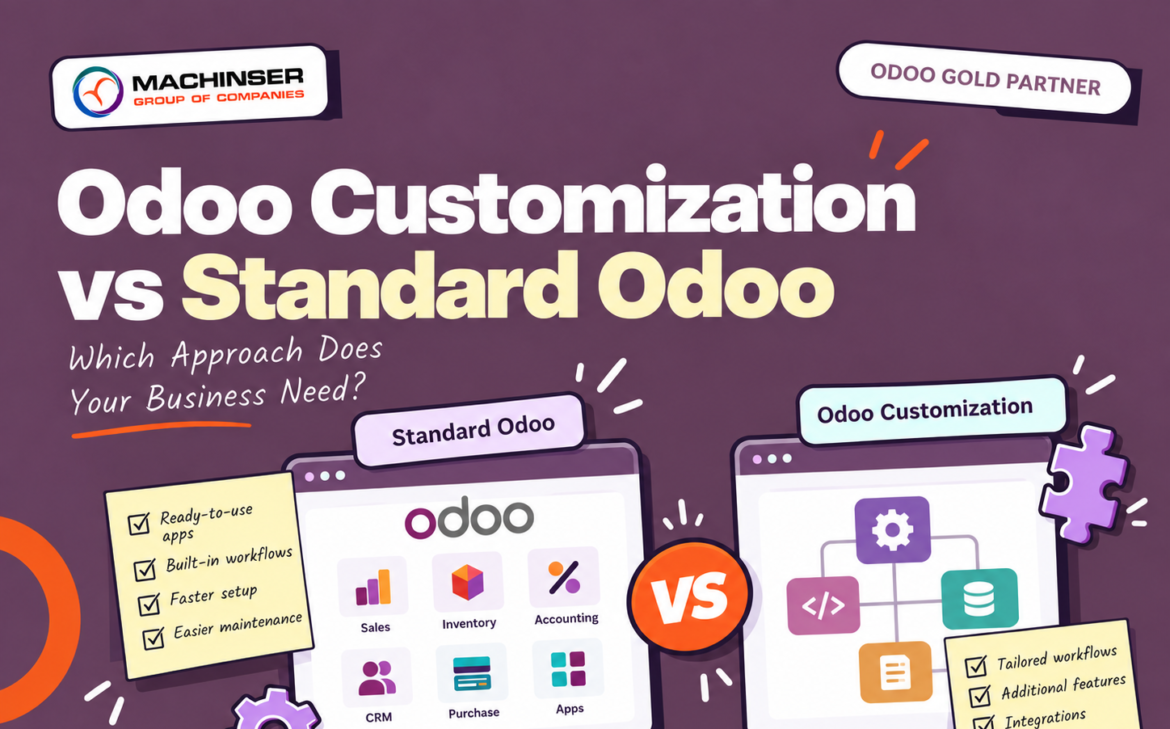
Choosing an ERP system is an important step in digital transformation. But after choosing Odoo, businesses often face another question: Should we use standard Odoo or customize it to match our business processes?
Standard Odoo provides ready-to-use applications and workflows for common business operations. Odoo customization, on the other hand, allows businesses to modify or extend the system for specific operational requirements.
The right approach depends on your business processes, industry, growth plans, integrations, and long-term ERP strategy. The goal should not be to customize Odoo simply because customization is possible. Instead, businesses should build an ERP system that improves efficiency without creating unnecessary complexity.
What Is Standard Odoo?
Standard Odoo refers to the functionality available through Odoo’s existing applications and configuration options without significant custom development.
Odoo provides applications for:
- CRM
- Sales
- Purchase
- Inventory
- Accounting
- Manufacturing
- Project Management
- Human Resources
- Website and eCommerce
- Marketing
These applications are designed to work together within a single ERP environment.
For example, a business can manage a customer opportunity in CRM, create a quotation through Sales, process the order, manage delivery through Inventory, and connect the transaction with Accounting.
The main advantage of standard Odoo is that businesses can use established ERP workflows without developing every feature from scratch.
What Is Odoo Customization?
Odoo customization involves modifying or extending standard Odoo functionality to meet specific business requirements.
Depending on the requirement, customization may include:
- Custom business workflows
- Additional fields and forms
- Custom reports and dashboards
- Approval processes
- User roles and permissions
- Automated actions
- Customer portals
- Website functionality
- Third-party integrations
- Industry-specific processes
For example, a manufacturing company may require a specialized production workflow, while a service company may need a customized approval process for projects or expenses.
However, customization should solve a genuine business requirement rather than simply reproduce every feature of an old system.
Standard Odoo vs Odoo Customization
The difference can be summarized simply:
Standard Odoo uses existing ERP functionality wherever practical, while customization extends Odoo when standard functionality cannot reasonably meet a specific business requirement.
| Standard Odoo | Odoo Customization |
| Uses existing functionality | Extends or modifies functionality |
| Faster to configure | Requires additional development |
| Generally easier to maintain | Requires ongoing maintenance |
| Easier upgrade management | Custom features may require upgrade adjustments |
| Lower development requirements | Higher development requirements |
| Suitable for common processes | Useful for unique requirements |
Both approaches can be part of a successful Odoo implementation.
When Should You Choose Standard Odoo?
Standard Odoo is often suitable when your business requirements are already supported by the platform.
For example, if you need CRM, sales management, purchasing, inventory, accounting, or project management, custom development may not be necessary.
Faster Implementation
Standard features can generally be configured without developing a completely new solution. This can help businesses implement their ERP system more efficiently.
Easier Maintenance
Using fewer custom components can make the ERP environment easier to maintain and troubleshoot.
Easier Upgrade Management
Odoo regularly introduces new versions and improvements. Businesses that rely more heavily on standard functionality may have fewer custom components to review during upgrades.
Better Process Standardization
Standard Odoo can also encourage businesses to review outdated manual processes instead of simply transferring existing inefficiencies into a new ERP system.
When Does Odoo Customization Make Sense?
Customization becomes useful when a business has requirements that cannot reasonably be handled through standard Odoo configuration.
Examples include:
- Unique industry-specific workflows
- Complex approval requirements
- Specialized pricing rules
- Custom customer portals
- Specific reporting requirements
- Integration with existing business applications
- Specialized operational or regulatory requirements
In these situations, forcing the business to work around the ERP may create more problems than solving the requirement through customization.
The important question is not:
“Can we customize Odoo?”
The better question is:
“Does this requirement provide enough business value to justify customization?”
The Risks of Over-Customizing Odoo
Odoo customization can provide significant value, but excessive customization can make an ERP system more complicated.
One common mistake is trying to reproduce every workflow from a company’s previous software. Some of those processes may have been created as workarounds for limitations in an older system.
Rebuilding those workarounds in Odoo could preserve inefficient processes instead of improving them.
Too much customization can increase:
- Development costs
- Testing requirements
- Maintenance effort
- Upgrade complexity
- Technical dependency
- Troubleshooting time
This is why every customization should be evaluated before development begins.
A Better Approach: Configure First, Customize When Necessary
A practical Odoo implementation often follows a standard-first approach.
Before developing custom features, businesses can evaluate their requirements in this order:
- Standard Odoo features
- Configuration
- Automation
- Odoo Studio or supported customization options
- Integration
- Custom development
This approach helps businesses avoid unnecessary development.
For example, a company may initially request a custom approval system. During the requirements analysis, the implementation team may discover that existing Odoo approval and activity features can handle most of the requirement.
In that situation, custom development may not be necessary.
Odoo Customization for Different Industries
Different industries have different operational requirements, which can make selective customization valuable.
Manufacturing businesses may require specialized production and quality workflows.
Construction companies may need project, material, procurement, and cost tracking processes.
Retail businesses may require customized POS, inventory, pricing, or customer workflows.
Hospitality businesses may need accommodation-related processes and connected operations.
Manpower and workforce management companies may require specialized employee, contract, deployment, and billing workflows.
The objective is not to customize every part of Odoo. It is to customize the areas where there is a genuine operational or business requirement.
Odoo Integration vs Customization
Not every special requirement requires customization inside Odoo.
Sometimes integration is a better solution.
For example, a business may already use a specialized:
- Payment platform
- Logistics system
- Biometric attendance system
- eCommerce platform
- External business application
Instead of rebuilding that functionality inside Odoo, integration can allow the systems to exchange relevant information.
This can be a practical approach when an external application already performs a specialized function effectively.
How to Decide Between Standard Odoo and Customization
Before requesting custom Odoo development, businesses should consider a few questions:
- Does standard Odoo already provide the functionality?
If the feature already exists, customization may not be necessary.
- Can the requirement be handled through configuration?
Not every business requirement requires programming.
- Is the current business process actually efficient?
An old process should be reviewed before being transferred into a new ERP.
- Does the requirement provide measurable value?
Consider whether it can save time, reduce errors, improve visibility, support compliance, or improve customer experience.
- How often will the feature be used?
A feature used frequently across the organization may justify customization more easily than a rarely used feature.
- What is the impact on future Odoo upgrades?
Custom development should be considered with long-term maintenance and upgrade requirements in mind.
- Could integration solve the requirement?
An existing external application may already provide the required functionality.
Standard Odoo and Customization Can Work Together
Businesses do not necessarily have to choose only one approach.
A balanced Odoo implementation can use standard functionality for core business operations while customizing only specialized areas.
For example, a company may use standard Odoo for CRM, Sales, Purchase, Inventory, Accounting, and Project Management, while customizing a specific approval workflow or integrating an external application.
This allows the business to benefit from standard ERP functionality while addressing requirements that are genuinely unique.
Why Odoo Consulting Matters
The decision between standard Odoo and customization should ideally be made during the planning and implementation stage.
An experienced Odoo consulting and implementation team can:
- Analyze existing business workflows
- Identify gaps in standard Odoo
- Evaluate configuration options
- Identify automation opportunities
- Recommend integrations where appropriate
- Determine where customization provides genuine value
For growing businesses, these decisions can affect maintenance, scalability, implementation costs, and future upgrades.
Instead of asking:
“What can we customize?”
businesses should ask:
“What is the simplest Odoo solution that effectively solves our business requirement?”
Conclusion
Standard Odoo and Odoo customization are not competing solutions. They can work together depending on the requirements of the business.
Standard Odoo can provide a practical and maintainable foundation for common business processes, while Odoo customization can address specialized workflows, industry requirements, integrations, and unique operational needs.
For most businesses, a standard-first approach is a sensible starting point: understand the requirement, evaluate standard Odoo functionality, configure what can be configured, and customize only where the business value justifies the additional complexity.
With the right balance between standard functionality and customization, businesses can build an Odoo ERP environment that supports current operations while remaining flexible as the organization grows.