

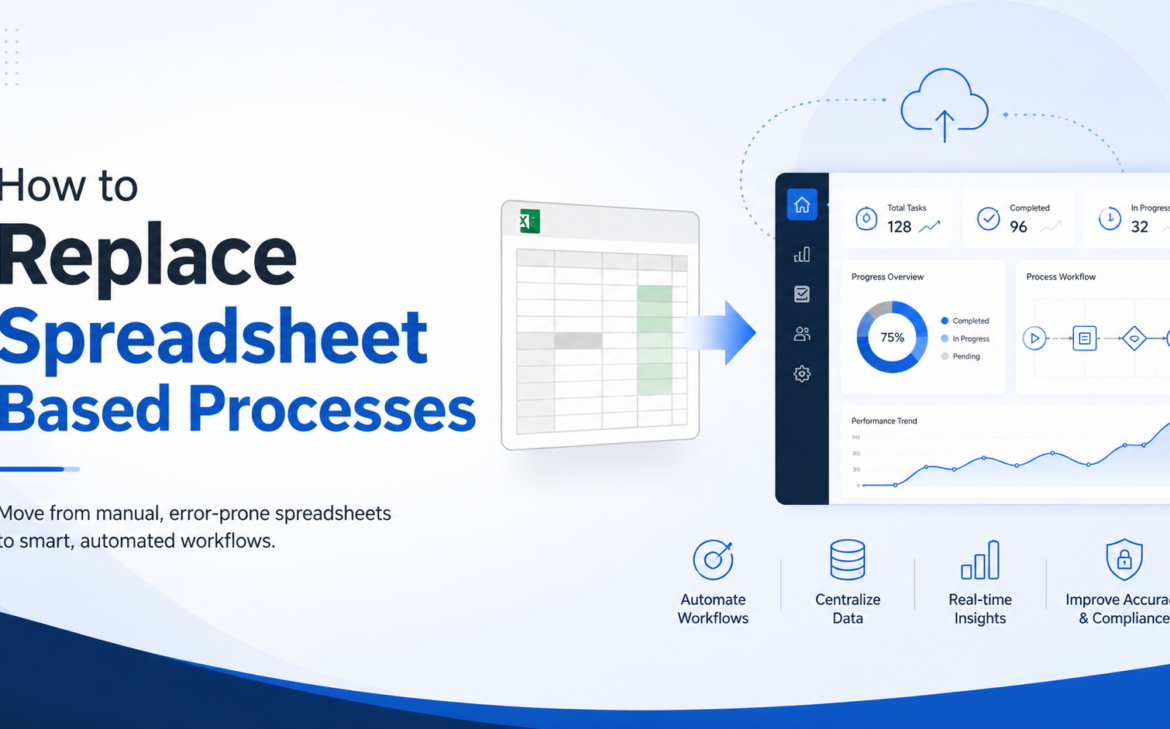
A finance manager updates one spreadsheet, operations updates another, and sales keeps its own version on someone’s desktop. By the time leadership reviews the numbers, the business is already reacting to yesterday’s reality. That is usually the moment companies start asking how to replace spreadsheet based processes with something more reliable, scalable, and easier to manage.
Spreadsheets are useful tools. They are flexible, familiar, and fast to start with. The problem is what happens when they become the system instead of supporting the system. Approval chains move into email, stock planning depends on manual copy-paste, payroll inputs come from multiple files, and reporting becomes a monthly exercise in reconciliation rather than decision-making.
For growing businesses, this creates risk that is easy to underestimate. Delays, duplicate entries, formula errors, version confusion, and limited visibility all add cost. Replacing spreadsheet-based work is not just an IT project. It is an operational improvement that affects speed, control, customer experience, and management confidence.
Why spreadsheet-based processes stop working
Most spreadsheet-based processes begin with a valid reason. A team needs a quick tracker, a budget file, or a simple approval log. The issue is not the spreadsheet itself. The issue is that the file starts carrying a process that should really live in a structured business system.
As transaction volumes increase, spreadsheets struggle to support accountability. There is no dependable workflow, no live audit trail, and no shared operational truth across departments. When finance, procurement, HR, inventory, and sales all manage related tasks in separate files, the business becomes dependent on manual coordination.
This becomes more serious in companies operating across multiple branches, entities, or teams. Businesses in Saudi Arabia, the UAE, and Bahrain often face added complexity such as VAT compliance, multi-location operations, approval hierarchy, and fast growth. In those environments, spreadsheet-heavy operations tend to slow down the very control leadership is trying to strengthen.
How to replace spreadsheet based processes without disrupting the business
The best approach is not to ban spreadsheets overnight. That usually creates resistance and pushes teams to build shadow workarounds. A better approach is to identify which spreadsheet-based processes are creating the most friction, then replace them in a structured sequence.
Start by asking where the business loses time, accuracy, or visibility. In many companies, the first candidates are purchase approvals, invoicing, inventory tracking, expense claims, payroll inputs, sales follow-up, and management reporting. These are repeatable processes with clear rules, which makes them strong candidates for workflow automation inside an ERP or business management platform.
At this stage, it helps to separate two kinds of spreadsheet use. Some spreadsheets are still useful for analysis, forecasting, or temporary modeling. Others are acting as a database, approval tool, transaction register, or reporting engine. The second category is what should be replaced first.
Map the real process before choosing software
Many software projects fail because the company automates the visible file instead of the actual process behind it. A spreadsheet may look simple, but it often hides multiple decisions, handoffs, exceptions, and approval rules.
Before selecting or configuring a system, document how the work currently happens. Who creates the data, who approves it, who updates it, and where errors usually occur? What information is re-entered from one file into another? Which reports require manual cleanup before management can use them?
This process mapping does two things. First, it shows which steps can be standardized. Second, it reveals where the business may need policy changes, not just software. If five departments use a different naming structure for the same customer or product, system implementation alone will not fix the problem.
Prioritize processes with clear commercial impact
If the goal is momentum, do not start with the most politically sensitive or technically complicated process. Start where improvement is easy to measure.
For one company, that may be stock visibility across warehouses. For another, it may be delayed collections caused by manual invoicing. For another, it may be slow procurement caused by approval bottlenecks in email and spreadsheets. Replacing a spreadsheet-based process works best when the business can quickly see lower cycle times, fewer errors, and better reporting.
This matters because change adoption is practical, not theoretical. Teams support new systems when they feel the difference in their daily work. If the first rollout saves hours every week and reduces avoidable mistakes, the next phase becomes easier.
Choose a system that fits the process and the business
This is where many companies overcorrect. After years of spreadsheet dependency, they buy software with more complexity than they need. That can create a different problem – expensive implementation, poor user adoption, and workflows that feel heavier than the old manual method.
The right platform should centralize data, support role-based access, automate workflows, and produce real-time reporting. It should also match the company’s size, operational model, and growth plans. For small to mid-sized businesses, an ERP platform like Odoo is often attractive because it can connect finance, sales, inventory, purchasing, HR, and operations in one environment without forcing the company into disconnected applications.
That said, software selection should be driven by operational fit, not product popularity. A trading business, a manufacturer, a service company, and a healthcare operator all need different levels of control, customization, and reporting. It depends on transaction volume, approval structure, compliance needs, and whether the company wants standard processes or tailored workflows.
Clean your data before migration
A bad spreadsheet process often creates bad data. Duplicate vendors, incomplete customer records, outdated prices, mismatched units of measure, and inconsistent account structures can all move into the new system if not addressed early.
This is one reason migrations feel harder than expected. The real effort is not only technical transfer. It is deciding what data should come forward, what should be archived, and what needs correction before go-live.
Businesses that do this well create clear ownership. Finance cleans chart-of-account and customer data. Operations validates item masters and stock units. HR reviews employee records. Leadership signs off on standards. That discipline makes the new workflow more dependable from day one.
Design workflows people will actually use
If a new process adds friction without adding control, users will revert to old habits. That is why workflow design matters as much as automation itself.
A strong replacement process should make the next action obvious. A purchase request should move automatically to the right approver. A sales order should generate downstream updates without manual re-entry. A manager should see status in the system instead of chasing updates in chat threads.
This does not mean every exception should be automated immediately. Some edge cases are better handled manually at first. Trying to engineer every possible scenario into phase one can delay the rollout and confuse users. The better path is to automate the high-frequency, high-value flow first, then refine over time.
Train by role, not by software menu
One common implementation mistake is training everyone on the full system instead of showing each team how their work changes. People do not need a tour of every feature. They need confidence in the tasks they perform every day.
A warehouse user should understand receipts, transfers, and stock visibility. A finance user should understand posting, approvals, and reports. A manager should know how to review exceptions, dashboards, and pending actions. This makes adoption faster and keeps training tied to outcomes.
It also helps to set clear rules around system usage. If approvals happen in the ERP, they should not also happen in spreadsheets and email. If stock balances come from the system, parallel trackers should be retired. Hybrid process control usually creates the same visibility problem in a new form.
Measure the replacement properly
If you want the organization to treat this as a business improvement project, measure business outcomes. Track approval time, reporting time, invoice turnaround, inventory accuracy, order cycle time, and the number of manual touchpoints removed.
The strongest case for replacing spreadsheet-based processes is not that the technology is newer. It is that the company gains speed, accuracy, auditability, and management visibility. Those improvements support better decisions and make growth easier to manage.
For companies planning expansion, opening new branches, or tightening operational control, this matters even more. The process you can manage with three spreadsheets and one experienced coordinator usually breaks when volume doubles. A structured platform gives the business room to grow without multiplying manual effort.
An experienced implementation partner can make this transition far more practical by aligning system design with how the business actually runs. That is especially important when process complexity, reporting needs, or local operational requirements call for more than an off-the-shelf setup.
Replacing spreadsheets is not really about replacing files. It is about giving your business a more dependable way to operate, decide, and scale – before manual work becomes the cost of growth.



1 Comment