

In today’s competitive marketplace, pharmacies must streamline operations, delight customers, and protect margins. Odoo Pharmacy Management offers a complete, integrated platform that helps pharmacy retailers manage inventory, sales, compliance, finance, and customer experience all from one central system.
Let’s explore how Pharmacy Retail with Odoo can optimize your operations, reduce risks, and drive growth. As the Best Odoo Partner in Saudi Arabia, we have helped many pharmacies implement these solutions with success.
Table of Contents
- Inventory Management with Accuracy
- Point of Sale (POS) Tailored for Pharmacies
- CRM & Patient Loyalty
- Financial Management & Compliance
- Regulatory Oversight & Safety
- Implementation Tips & Best Practices
- Conclusion.
1. Inventory Management with Accuracy
One of the biggest headaches in pharmacy retail is managing stock of medicines especially with expiry dates, lots, recalls, and controlled substances. Odoo Pharmacy Management solves many of these challenges:
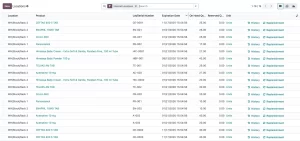
- Real-time Stock Tracking: You can see inventory levels in real time across your pharmacy(s). This prevents stockouts and helps you avoid dead stock.
- Automated Reordering: Define reorder points so when a medicine level hits a threshold, Odoo generates a purchase order automatically.
- Batch & Serial Number Tracking: Track each medicine by batch/serial number and manage expiry dates to ensure no expired items are sold.
- Lot Number Tracking for Recalls: Should there be a recall or quality issue, you can quickly identify affected lots and trace them.
Odoo’s official site even highlights how pharmacies can manage medication inventory, process prescriptions, and auto-replenish stock. أودو
A specialized Odoo module, Odoo POS Pharmacy Management, also offers features like expiry warnings in POS, alternative medicine suggestions, and strict controls on prescription drugs.
2. Point of Sale (POS) Tailored for Pharmacies
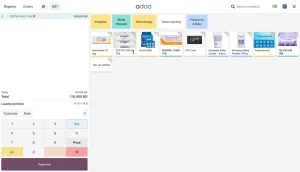
A pharmacy’s POS needs go beyond regular retail it must handle prescriptions, expiry validations, and possibly controlled substances. Odoo helps here:
- Fast & Accurate Order Processing: The POS is designed for speed, enabling quick lookups, barcode scanning, and error checks (especially for expired lots).
- Integration with Inventory: POS transactions immediately adjust inventory, and batch/lot logic is enforced in real time.
- CRM Integration: Link sales to customer accounts, track purchase history, and personalize interactions.
- Reporting & Analytics: Generate POS reports on sales trends, top products, average basket size, and turnover.
3. CRM & Patient Loyalty
Building trust and retention is vital in pharmacy business. With Odoo Pharmacy Management, you can:
- Personalized Service: Store patient profiles, preferred brands, past purchases, and prescription history to suggest refills or related products.
- Loyalty Programs: Reward repeat customers with points, discounts, or special offers.
- Targeted Marketing: Run email or SMS campaigns to share health tips, reminders, or promotions tailored to customers.
4. Financial Management & Compliance
Pharmacies must maintain tight financial discipline and transparency. Odoo supports:
- Automated Accounting: Create invoices automatically, link POS sales to accounting entries, and handle vendor bills.
- Financial Reporting: Profit & loss statements, balance sheets, cash flow reports help you see where money is flowing.
- Tax Compliance: Generate accurate tax reports, ensure correct accounting for medicines which may have special tax rules.
5. Regulatory Oversight & Safety
Pharmacies operate under strict regulation. Odoo lets you:
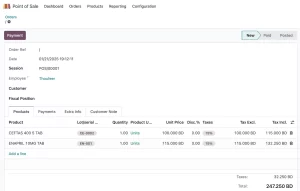
- Maintain Accurate Records: Log dispensing records, supplier records, audit trails, and transaction history.
- Track Controlled Substances: Implement stricter controls over inventory and sales of medicines that require special handling or prescription.
- Audit Readiness: Because all changes are logged, you have a clear audit trail for inspections or compliance checks.
6. Implementation Tips & Best Practices
To make the most of Odoo Pharmacy Management, consider:
- Start with core modules — Inventory, POS, CRM, Accounting and later layer regulatory & custom modules.
- Customize wisely — use pharmacy modules (like POS pharmacy apps) to integrate expiry warnings, alternative medicine logic, etc.
- Train staff carefully — pharmacy staff must understand lot control, expiry checks, and when overrides are allowed.
- Use dashboards & alerts — set up alerts for near-expiry stock, low stock, or unusual sales patterns.
- Partner with experts — as the Best Odoo Partner in Saudi Arabia, we can help configure, customize, and support.
7. Conclusion
In summary, How Odoo Can Optimize Pharmacy Retail Operations is not just a tagline it’s a practical roadmap to transform your business. From precise inventory management to POS excellence, from customer loyalty to financial discipline and regulatory compliance, Odoo brings everything under one roof.
If you want to deploy Odoo Pharmacy Management tailored to your region and business needs, consider working with the Best Odoo Partner in Saudi Arabia. We’ll ensure smooth implementation, localization, and ongoing support so your pharmacy thrives in today’s competitive marketplace.