

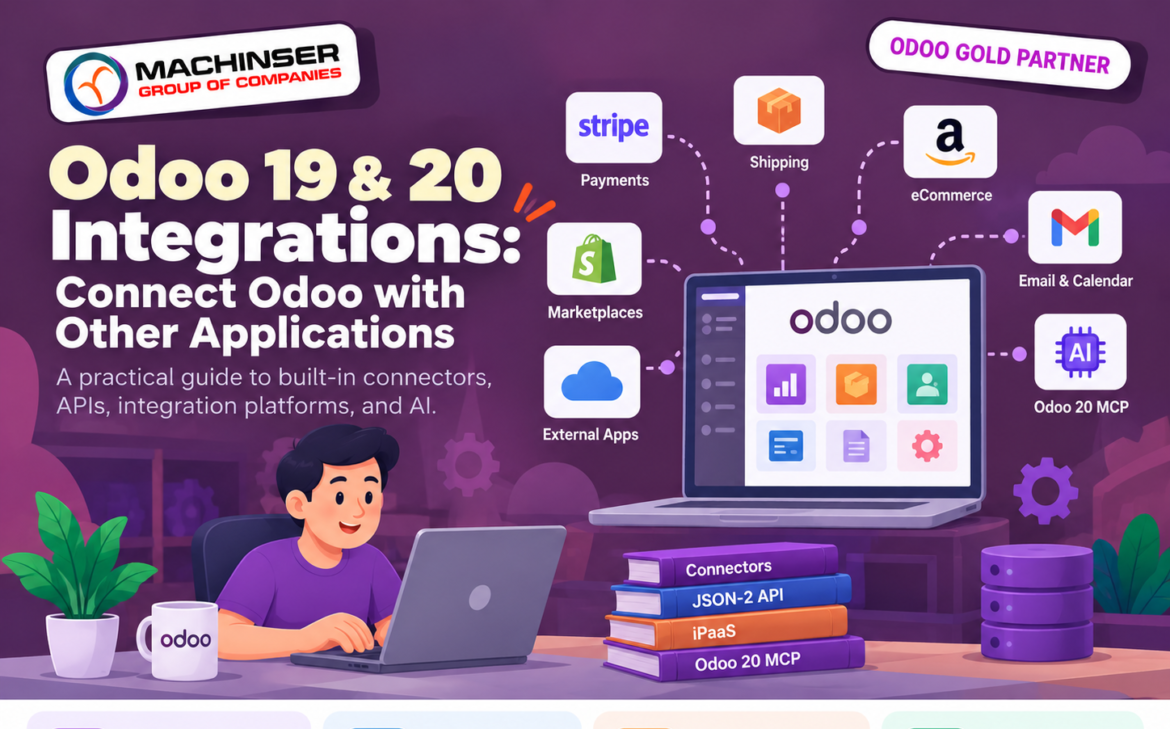
When implementing an API Integration across enterprise systems, most businesses use more than one software platform. Odoo may manage sales, inventory, accounting, and customer records, while other tools handle payments, shipping, online marketplaces, email, reporting, or customer communication.When these systems do not share information, employees may enter the same data more than once. Orders can be delayed, stock figures can become inconsistent, and teams may spend time switching between applications.
Odoo 19 and Odoo 20 offer several ways to connect systems. Start with a built-in connector when it meets the need; use the external API for structured system-to-system data exchange; consider an integration platform for workflows across multiple apps; and use Odoo 20’s MCP server when a compatible AI client needs access to selected Odoo tools.
What Is an Odoo API Integration?
An integration allows Odoo to exchange information with another application or service. Depending on the connector and configuration, data may move one way or in both directions.
- Payments: send payment requests and receive payment status.
- Shipping: send delivery details to a carrier and receive tracking updates.
- eCommerce: synchronize supported products, customers, orders, or fulfilment information.
- Email and calendars: connect messages, appointments, and customer activities.
- Custom software: allow an external application to read or update permitted Odoo records.
- AI assistants: use Odoo 20 MCP to expose selected tools to a compatible AI client.
The important questions are: what data needs to move, when should it move, and which system is responsible for each record?
Start with Built-in Odoo Connectors
Before developing a custom solution, check whether Odoo already supports the service. Built-in connectors often need less custom code and can be easier to maintain.
Payments
Odoo supports a range of online payment providers and payment-terminal integrations. Availability depends on the provider, country, Odoo version, and apps in use. Check the provider list for your own database before planning custom development.
Shipping and delivery
Carrier integrations can help calculate shipping costs, generate labels, and share delivery information. Available carriers and features vary by region and carrier account. Confirm the specific integration before promising automated labels or tracking.
eCommerce, marketplaces, and productivity tools
Odoo can connect with supported eCommerce, product-feed, email, calendar, and messaging services. Some marketplace or fulfilment workflows require a third-party connector or custom module; do not assume every service is natively supported.
When Is a Custom Integration Needed?
A built-in connector may not cover a custom warehouse system, legacy accounting application, B2B portal, manufacturing platform, or data warehouse. In these cases, developers can use the external API or build a dedicated Odoo module.
Custom integrations provide control over data mapping, business rules, error handling, logging, retries, and synchronization schedules. The trade-off is that the business must also test, maintain, and upgrade the integration.
Odoo 19 and 20 External API: JSON-2
Odoo documents the JSON-2 API at the /json/2 endpoint. It uses HTTP requests and bearer authentication with an API key. An external application can call public methods on Odoo models, subject to the permissions of the user associated with the key.
- Read customer and company records.
- Create contacts or other supported records.
- Read product information.
- Create or update sales orders through appropriate model methods.
- Read invoice data or query selected business information.
The exact models, fields, and methods depend on the database and installed modules. Check the database’s own documentation page, commonly available at /doc when enabled, before coding.
Example: Read Company Contacts with Python
This example reads a small set of company contacts. Replace the URL and provide your API key securely. Test in a non-production database first.
import os
import requests

ODOO_URL = "https://your-odoo-domain.com"
API_KEY = os.environ["ODOO_API_KEY"]

headers = {
    "Authorization": f"bearer {API_KEY}",
    "Content-Type": "application/json",
    "User-Agent": "example-odoo-integration/1.0",
}
payload = {
    "domain": [["is_company", "=", True]],
    "fields": ["name", "email"],
    "limit": 10,
}

response = requests.post(
    f"{ODOO_URL}/json/2/res.partner/search_read",
    headers=headers, json=payload, timeout=30,
)
response.raise_for_status()
print(response.json())
This calls search_read on res.partner, asks for two fields, and limits the result to ten records. If one domain hosts multiple databases, the X-Odoo-Database header may also be required.
Example: Create a Customer with JSON-2
A website might create a contact in Odoo when a customer registers. This example calls create on res.partner. Confirm the method signature and accepted fields in your own database documentation.
import os
import requests

ODOO_URL = "https://your-odoo-domain.com"
API_KEY = os.environ["ODOO_API_KEY"]
headers = {
    "Authorization": f"bearer {API_KEY}",
    "Content-Type": "application/json",
    "User-Agent": "website-contact-sync/1.0",
}
payload = {
    "vals_list": [{
        "name": "Example Customer Ltd",
        "email": "customer@example.com",
        "phone": "+91 98765 43210",
        "company_type": "company",
    }]
}
response = requests.post(
    f"{ODOO_URL}/json/2/res.partner/create",
    headers=headers, json=payload, timeout=30,
)
response.raise_for_status()
print("Created contact ID(s):", response.json())
This creates a contact; it does not complete a full sales workflow. A retry after a timeout could create a duplicate, so production integrations should use a reliable matching or idempotency strategy.
API Keys and Security
An API key lets an external service act as the Odoo user associated with it. Protect it like a password.
- Create a dedicated integration user rather than using an administrator account for a long-running integration.
- Give the user only the permissions the integration needs.
- Generate an API key from the user’s preferences/security area and store it securely.
- Keep secrets in environment variables or a secrets manager, not public code or browser JavaScript.
- Use HTTPS, set an appropriate expiry, and rotate or revoke keys when needed.
- Log failures, but never log API keys or unnecessary sensitive data.
- Test read and write operations in a staging database before production.
JSON-2 does not bypass Odoo security. Access rights, record rules, and field permissions still apply to the user making the request.
JSON-2 vs Older RPC APIs
Odoo 19 marks the older external XML-RPC and JSON-RPC model APIs as deprecated. Odoo documentation says the database service was removed in Odoo 20, while the remaining common/object services are scheduled for removal in Odoo 22 and Odoo Online 21.1.
| Topic | JSON-2 | Older RPC APIs |
| Endpoint | /json/2/<model>/<method> | Legacy RPC service endpoints |
| Authentication | Bearer API key | Legacy RPC authentication flow |
| Request format | HTTP POST with named JSON parameters | RPC-specific request format |
| For new integrations | Recommended starting point | Plan migration where applicable |
Odoo’s documentation states that external API access is available on Custom plans, not One App Free or Standard plans. Confirm current subscription terms and hosting restrictions.
Odoo 20 MCP: Connecting AI Clients
Odoo 20 also documents an MCP (Model Context Protocol) server. It allows compatible AI clients to discover and use selected tools exposed by Odoo. For example, an approved assistant might retrieve a sales summary or work with records through available tools, depending on configuration and permissions.
The MCP endpoint is the database URL with /mcp appended. Odoo 20 documents OAuth (recommended) and an API key with the MCP scope as authentication options. OAuth is available to internal users; portal users must use an API key.
An administrator must decide which server actions/tools are exposed. Connecting an AI client does not automatically make every Odoo operation available. Restrict write actions, use read-only tools where possible, and require human approval for sensitive changes.
API vs MCP: Which Should You Choose?
| Need | Likely fit | Reason |
| Sync website orders with Odoo | Connector or API | Structured, repeatable system-to-system data exchange. |
| Connect several SaaS apps visually | iPaaS or connector | Can reduce custom coding for common workflows. |
| Connect a proprietary system with custom rules | Custom API/module | More control over mappings, validation, retries, and logging. |
| Let an AI assistant use selected Odoo functions | Odoo 20 MCP | Compatible AI clients can discover and invoke exposed tools. |
iPaaS vs Custom Development
An iPaaS (Integration Platform as a Service) connects applications using pre-built connectors and workflow tools. It can help when a business needs to connect several common cloud applications quickly.
- iPaaS advantages: faster setup, visual workflows, common connectors, and less code to maintain.
- iPaaS trade-offs: recurring fees, connector limitations, vendor dependence, and possible usage-based charges.
- Custom integration advantages: control over business rules, data mapping, validation, and error handling.
- Custom integration trade-offs: development, testing, monitoring, upgrades, and ongoing support become the business’s responsibility.
Choose based on workflow complexity, data volume, security needs, budget, and the skills available to maintain the solution.
Understand the Full Cost
Consider more than the initial development fee:
- Odoo subscription and whether the selected plan supports external API access.
- Third-party connector or iPaaS fees.
- Payment-provider, carrier, marketplace, messaging, or AI-provider fees.
- Development, testing, hosting, monitoring, and maintenance.
- The cost of reconciliation, failed requests, duplicate handling, and future upgrades.
A built-in connector does not necessarily mean the external service is free. Provider fees and eligibility rules may still apply. Avoid static subscription prices in a blog unless checked against the current official pricing page.
A Practical Decision Checklist
Check for a built-in Odoo connector first.
For structured data exchange, assess JSON-2 and the available model methods.
For workflows across several standard cloud applications, compare iPaaS platforms and connector support.
For custom rules, consider a custom integration or Odoo module.
For AI clients that need selected Odoo tools, assess Odoo 20 MCP and its access controls.
Before launch, test permissions, failures, duplicates, monitoring, and recovery procedures.
Frequently Asked Questions
Can Odoo connect to an external website?
Yes. Depending on the use case, you can use a built-in connector, integration platform, or external API.
What is the JSON-2 endpoint pattern?
It is /json/2/<model>/<method>. Requests use HTTP POST, a JSON body, and bearer API-key authentication.
Where do I check available models and fields?
Use the database documentation page, commonly /doc when enabled, and verify methods and fields for that specific database.
Does an API key grant administrator access?
No. The associated user’s access rights, record rules, and field permissions still apply.
What does MCP do in Odoo 20?
It lets compatible AI clients discover and use tools exposed by Odoo, subject to configuration and permissions.
Does every Odoo plan include external API access?
No. Odoo documentation says external API access is available on Custom plans, not One App Free or Standard plans.
Conclusion
Odoo 19 and Odoo 20 can connect to other systems in several ways, but one method will not fit every situation. Built-in connectors are a sensible first choice for common services. JSON-2 is the starting point for new external API work. iPaaS can simplify workflows across cloud applications, while Odoo 20 MCP supports a different use case: letting compatible AI clients interact with selected Odoo tools.
Before choosing, define which data should move, who owns each record, how often synchronization should run, and what permissions are needed. Test in a safe environment and plan for monitoring, failures, duplicates, and upgrades. A good integration reduces manual work without creating new security or data-quality problems.
Official References
- Odoo 19 JSON-2 API: https://www.odoo.com/documentation/19.0/developer/reference/external_api.html
- Odoo 20 JSON-2 API: https://www.odoo.com/documentation/20.0/developer/reference/external_api.html
- Odoo 20 MCP server: https://www.odoo.com/documentation/20.0/applications/productivity/ai/mcp_server.html
- Odoo 20 legacy RPC and migration notes: https://www.odoo.com/documentation/20.0/developer/reference/external_rpc_api.html